Math · 6 min read
How to Make a Custom Formula Sheet
Check the formulas you need, then print the page
A custom formula sheet is a page of only the formulas you choose. On the formula sheet builder, the list is on the left and the page you will print is on the right. Check Area of the disk and Pythogorean Theorem, and those two rows show up under Geometry. Print from the browser when the page looks right. You do not need an account.
Written by the My Calculator Stack editorial team. About our methods
The builder shows formulas. It does not work out a problem for you. Equations from Wikipedia are the math in the article you opened, not a list from a teacher or an exam board. Print a sheet only if you are allowed to use one.
1.What is a custom formula sheet?
It is a short page you put together yourself. Each row has the formula’s name on the left and the formula on the right. Rows from the same subject sit together under a heading, such as Geometry.
The header shows the site logo and www.mycalculatorstack.com, on the screen and on the printed page.
The site also has ready-made formula pages, one subject at a time, on the formula index at /formulas. The geometry page at /formulas/geometry already lists the geometry formulas. Use the builder when you want to leave some of them out, mix subjects, or add a formula of your own.
2.Which formulas can you add?
The list covers five school and science subjects: Math, Geometry, Statistics, Physics, and Chemistry.
Presets fill a common set in one click: Geometry, Algebra, Linear algebra, and Statistics. Algebra and Linear algebra are groups inside Math.
Search the catalog when you know the name. Circle, slope, and mole are examples. A check on a subject or a group adds every formula in it. A check on one line adds only that line.
Everyday tools such as BMI and air-conditioner BTU are not in this list. They stay on their own calculator pages.
3.How do you add circle area and Pythagoras?
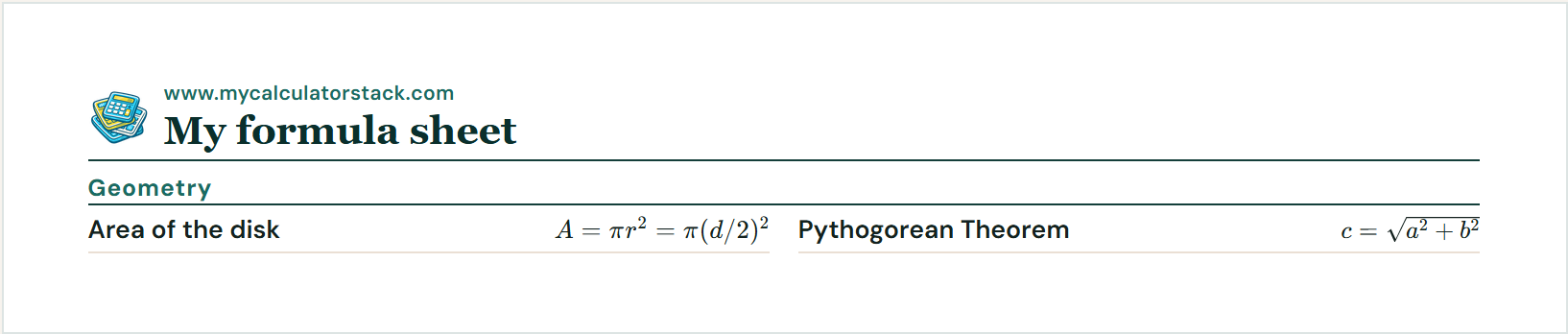
Open Geometry. Open Circle and check Area of the disk. That formula is the space inside a circle: A = πr². The same area can be written from the diameter as A = π(d/2)². A radius of 2 gives an area of 4π, about 12.57.
Still under Geometry, open Triangle and check the row named Pythogorean Theorem. That is the Pythagorean theorem. In a right triangle, the long side is c = √(a² + b²). Legs of 3 and 4 give a long side of 5.
Both rows land under the Geometry heading. The sheet shows the formulas, not a finished number. When you want a result from a radius or from two legs, use the circle calculator or the Pythagorean theorem calculator.
The picture is that sample, with the short notes turned off.
\[ A = \pi r^{2}, \quad c = \sqrt{a^{2}+b^{2}} \]
4.How do you change the layout?
Include explanations is off at first. Leave it off when you want only the name and the formula. Turn it on when you want a short reminder under the name. For Area of the disk the reminder is “Area of the disk.” For Pythogorean Theorem it is “Take the square root of a² + b².” The browser remembers this choice on this device.
Hover a row to see Up, Down, and Remove. Up and Down move that row only inside its own heading, so a Geometry formula stays under Geometry. If the formula has a calculator, the row also has a link to that tool.
The box labeled Sheet title is the name printed at the top. Paper is Letter or A4. Columns is 2 or 3. Two columns is the usual choice. Three columns puts more formulas side by side.
5.How do you add an equation from Wikipedia?
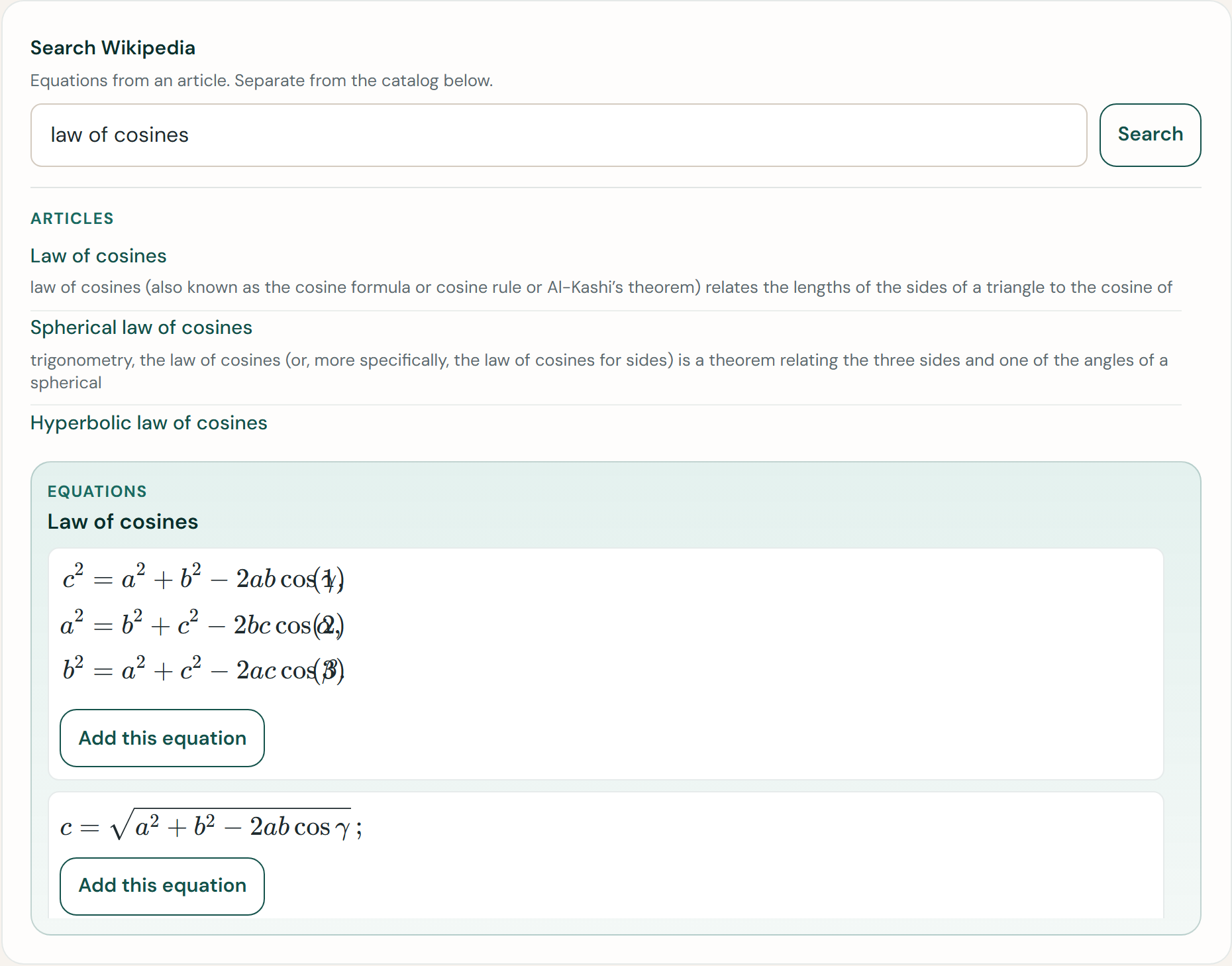
Use this when the formula you want is not in the list. Search Wikipedia is the box at the top of the left side, separate from the catalog search below it.
Type a topic, such as law of cosines, and press Search. Articles lists matching titles. Click the one you want. Equations then shows up to eight equations from that article, written as math rather than as code. Press Add this equation on each one you want to keep.
Those rows appear under a Wikipedia heading, and the sheet names the article they came from. The article’s paragraphs are not copied. The equations stay credited to that article under CC BY-SA.
If the article has no equation you can use, open the article and type the formula yourself with Add your own.
6.How do you type a formula that is not listed?
Scroll to Add your own at the bottom of the list. Type a name, then type the formula in the box labeled Formula, in LaTeX. The placeholder shows the style: A = \pi r^{2}. Press Add to sheet. Those rows appear under the heading Your formulas.
7.How do you print the sheet?
Choose Print. Your browser’s print window opens. To keep a file, choose Save as PDF in that window. The logo and www.mycalculatorstack.com stay on the page.
There is no limit on how many formulas you can add. A long sheet simply continues onto the next page. A note near the buttons may say how many pages that will take. You can still add another formula after that.
8.Where does the sheet get saved?
It stays in this browser, on this device. Nothing is stored in an account, because there is no account.
Copy link makes an address for the formulas you checked in the catalog, such as Area of the disk and Pythogorean Theorem. Open that address on another computer and those rows come back. Wikipedia equations and formulas you typed yourself stay on the device where you added them. They are not part of the link.
Clear removes every row from this browser.
Try it yourself
Open the formula sheet builder and put the sample on a page you can print.