Math · 10 min read
How to Calculate Your GPA for Free Online
College credits, a 4.0 scale, and this site’s free GPA tools
You can calculate a college GPA for free on this site without creating an account or uploading a transcript. This walkthrough is for university credit hours on a 4.0 scale: gather what your registrar actually uses, run one term in the Semester GPA Calculator, convert assignment percents when you still have scores instead of letters, check whether a course goal is still reachable on the final, and plan a cumulative target. The pages are teaching checks, not an official record.
Written by the My Calculator Stack editorial team. About our methods
Letter-to-point maps, plus/minus values, repeats, and what counts as attempted credit differ by school. Numbers on this page are teaching checks against the live calculators, not a registrar transcript.
1.Gather what your school actually uses
Start with an unofficial transcript or the current-term course list: each class, its letter (or the percent you will convert), and the credit hours. Then open the plus/minus chart your college publishes — A− is 3.7 on many 4.0 maps and 3.67 on others, and A+ may be 4.0 or 4.3. The tools on this site do not need an account; paste the numbers yourself.
This walkthrough is not an official transcript. Registrars still apply pass/fail, withdrawals, and repeat rules that a browser calculator cannot see. If a policy is unclear, match the catalog before you treat the result as the number on your record.
2.The GPA formula in one screen
College GPA is quality points divided by credits attempted. Each course contributes (grade points × credit hours); add those products, then divide by total credits. A four-credit B moves the average more than a one-credit A with the same letter. For the deeper 4.0 playground and a three-course write-up, see How to Calculate GPA.
\[ \mathrm{GPA} = \frac{\sum (p_i c_i)}{\sum c_i} \]
3.Calculate this term with Semester GPA
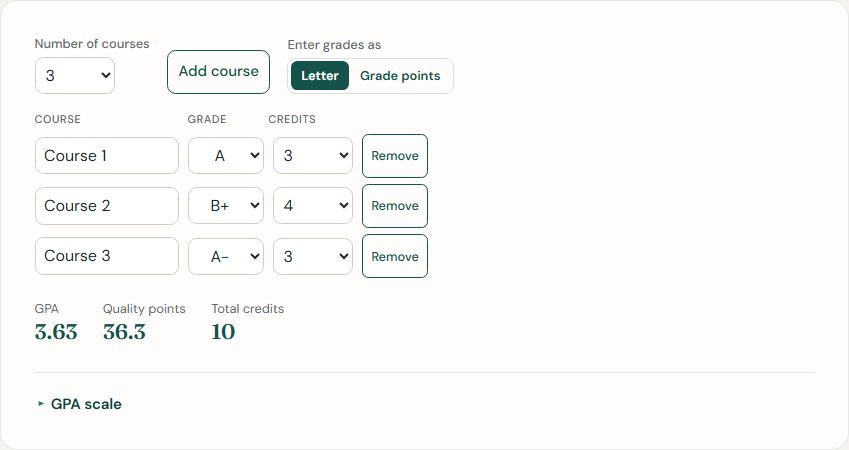
Open the Semester GPA Calculator and leave the live defaults: Course 1 is an A (4.0) × 3 credits, Course 2 a B+ (3.3) × 4, and Course 3 an A− (3.7) × 3. Quality points are 12 + 13.2 + 11.1 = 36.3. Credits total 10, so the semester GPA is 36.3 / 10 = 3.63. Edit the letter chart if your school’s map differs, then swap in your own courses.
\[ \mathrm{GPA}=\frac{12+13.2+11.1}{10}=\frac{36.3}{10}=3.63 \]
4.If you still have assignment scores, not letters
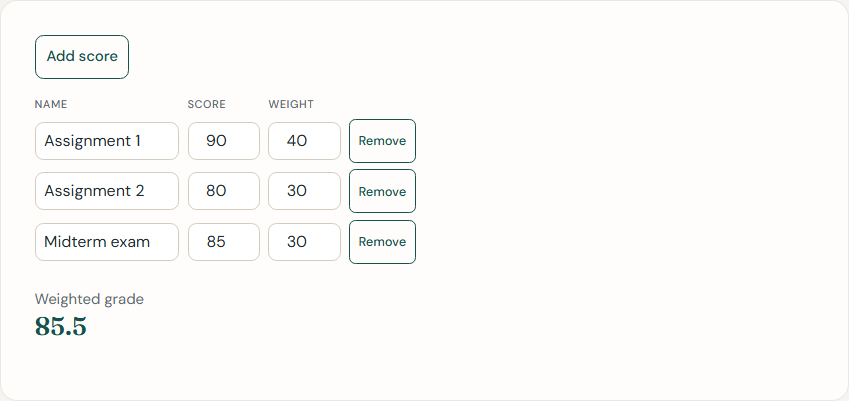
When the syllabus still lists homework and exams instead of a course letter, start with the Grade Calculator. The defaults are 90 with weight 40, 80 with weight 30, and 85 with weight 30: (90×40 + 80×30 + 85×30) / 100 = 85.5%. Convert that percent with your school’s chart (often A− around 90–92) before you drop the letter into a semester GPA row.
\[ G=\frac{90\cdot 40+80\cdot 30+85\cdot 30}{100}=85.5 \]
5.What you still need on the final
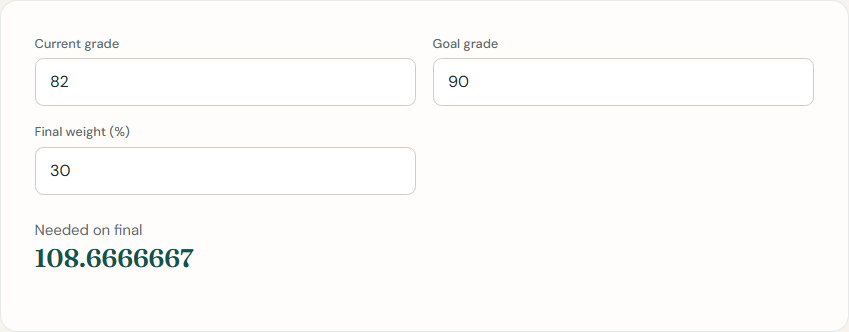
If one exam is still empty, the Final Grade Needed calculator solves for that score. Defaults are a current 82, a goal of 90, and a final worth 30% of the course: needed = (90 − 82 × 0.70) / 0.30 ≈ 108.7%. A result over 100% means the goal is already out of reach on this weighting unless extra credit or a curve applies.
\[ F=\frac{90-82(1-0.30)}{0.30}=\frac{32.6}{0.30}\approx 108.7 \]
6.Plan a cumulative target
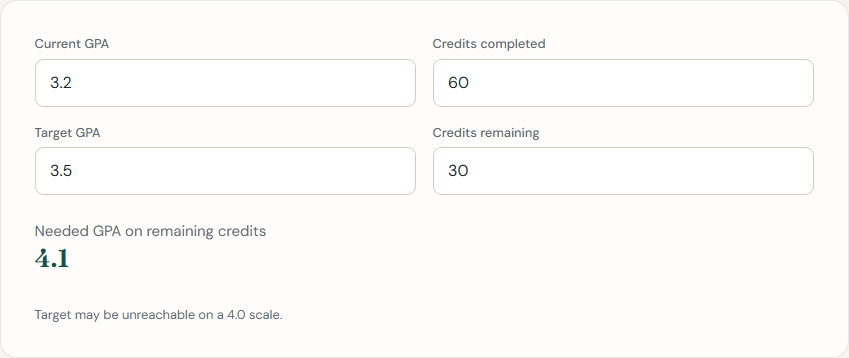
A term GPA is one semester. A cumulative target folds every attempted credit together. The GPA Planning Calculator defaults are a 3.2 after 60 credits, a 3.5 target, and 30 credits left: needed = (3.5 × 90 − 3.2 × 60) / 30 = 4.1. That sits above a standard 4.0, so the target is not reachable in this window. The same rearrangement is walked in How to Calculate the GPA You Need This Semester.
\[ g=(3.5\cdot 90-3.2\cdot 60)/30=4.1 \]
7.Pitfalls that change the number
Pass/fail, withdrawals, and repeats are school-specific. A P usually adds credits toward graduation without quality points; a W may vanish from GPA or still count as attempted credit. A repeated course might replace the old letter, average both attempts, or keep both in the hours. Do not paste those rows into a semester tool until you know the rule.
A+ is 4.0 on this site’s default chart and 4.3 at some colleges — edit the scale, do not type 4.3 into a field capped at 4.0. High-school weighted GPA (Honors or AP points that can exceed 4.0) is a different system from college credit hours. This walkthrough stays on unweighted university credits; extra high-school weight does not belong in these forms.
8.Which free tool to open next
Use the Semester GPA Calculator when you already have letters and credit hours for this term. Use the Grade Calculator when one class is still a list of assignment scores. Use Final Grade Needed when the last exam is empty and you have a course percent goal. Use the GPA Planning Calculator when you have a cumulative target and credits still to take.
The Try it yourself box below opens the Semester GPA Calculator — the primary tool for this page. For the formula playground without calculator chrome, stay on How to Calculate GPA.
Try it yourself
Open the related calculator and put these formulas to work.